Still on Retailed classic? Classic guides
Sale emails
Forward your marketplace sale emails to your own Retailed address, by hand or with a mailbox rule in Gmail, Outlook or iCloud, so each sale becomes a draft in your Inbox.
Forward your sale emails to your own Retailed address. Each one becomes a draft sale, payout or buy in your Inbox for you to confirm. Retailed never signs in to your mailbox: only the emails you forward reach it.
Retailed reads sale emails from eBay, Vinted, StockX, Vestiaire Collective and Wethenew with its own rules. Emails from other senders can be read by AI (see AI reading).
Find your Retailed address
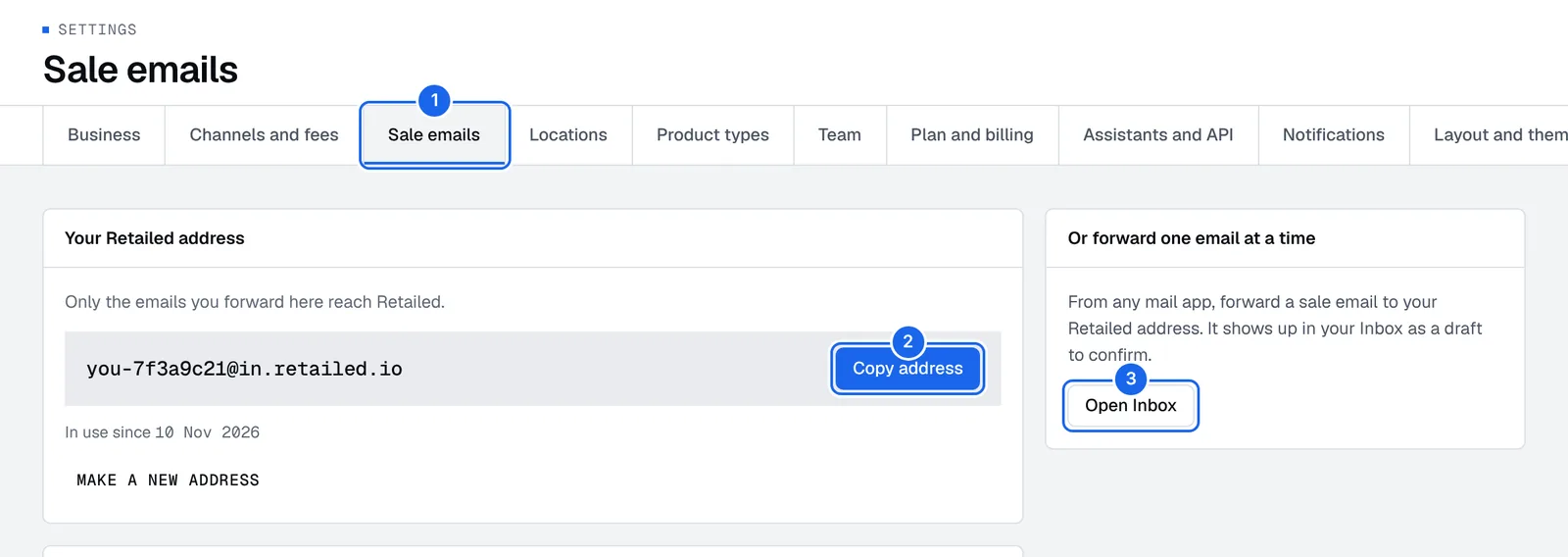
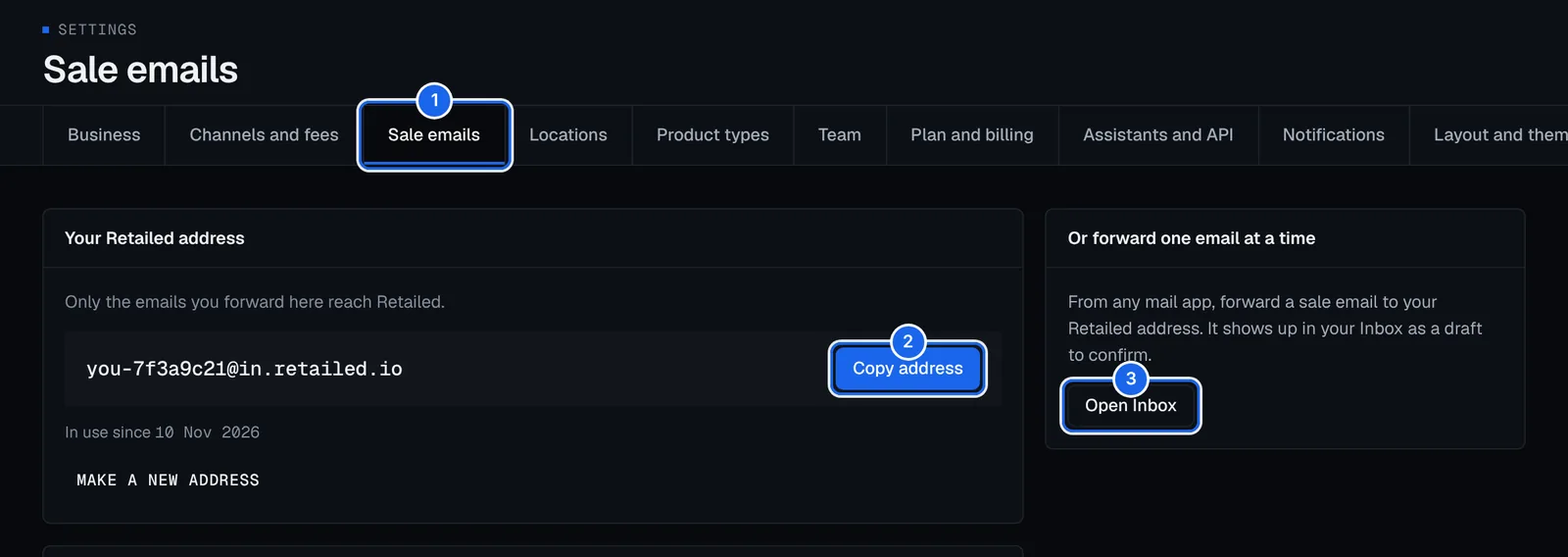
- Open Settings › Sale emails.
- Under Your Retailed address, press Copy address. It looks like
you-7f3a9c21@in.retailed.ioand is yours alone. - Press Open Inbox later to see the drafts your emails made.
Each business has its own address. If you run several businesses, forward each shop's emails to that business's address.
Forward one email at a time
This works in every mail app, on a computer or a phone, Yahoo included.
- Open a sale email, for example "Your item sold" from Vinted.
- Press Forward in your mail app.
- Paste your Retailed address as the recipient and send it. You don't need to write anything.
- Within a minute, the sale shows up in your Inbox as a draft to confirm.
Forward the whole email, not a screenshot: Retailed reads the order number, the price, the fees and the item from it.
Forward every sale email with a rule
A mailbox rule forwards sale emails for you as they arrive. It forwards sale emails only, not messages, offers or newsletters. In Settings › Sale emails, pick your Mail app to see these same steps with buttons to copy each line.
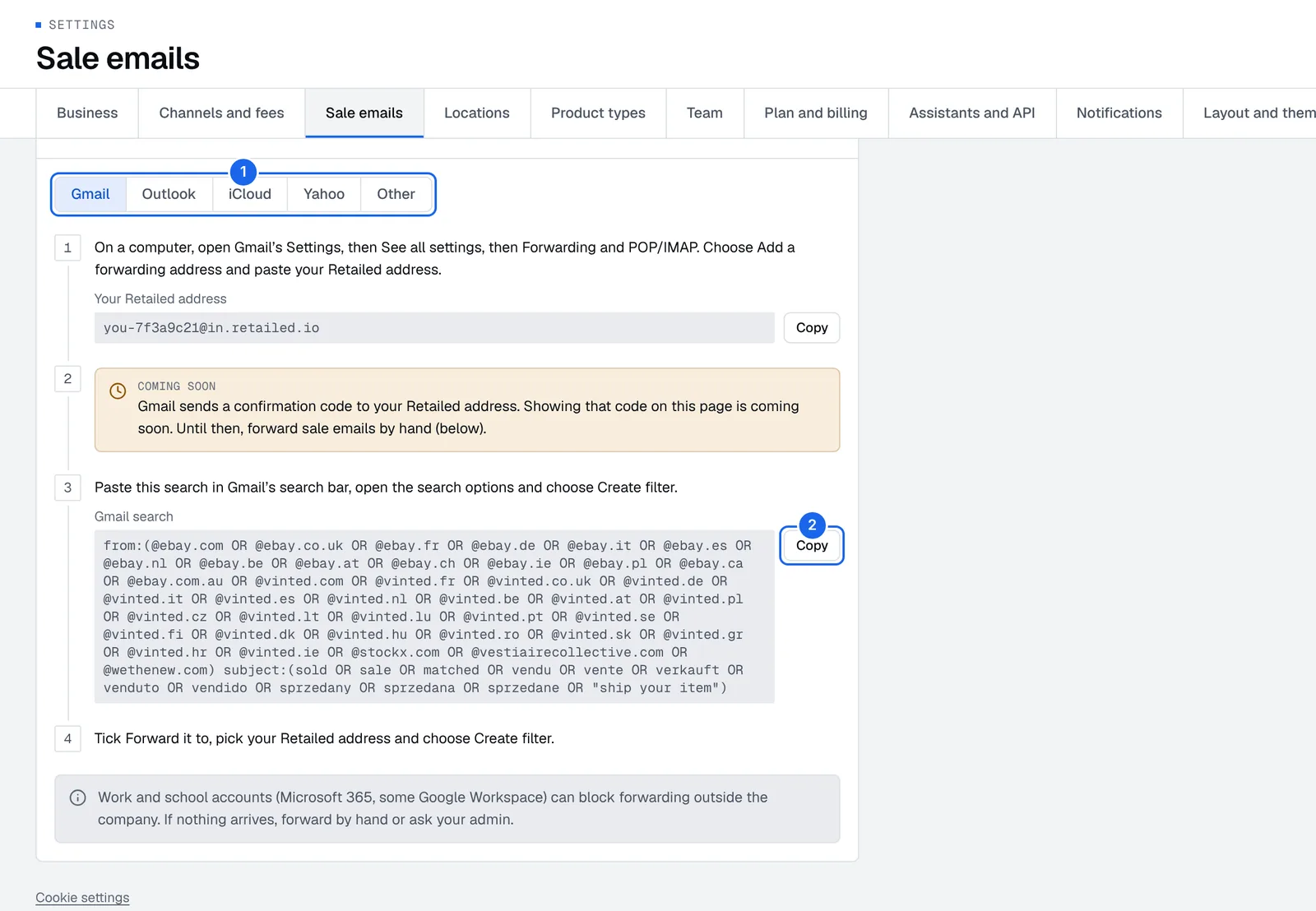
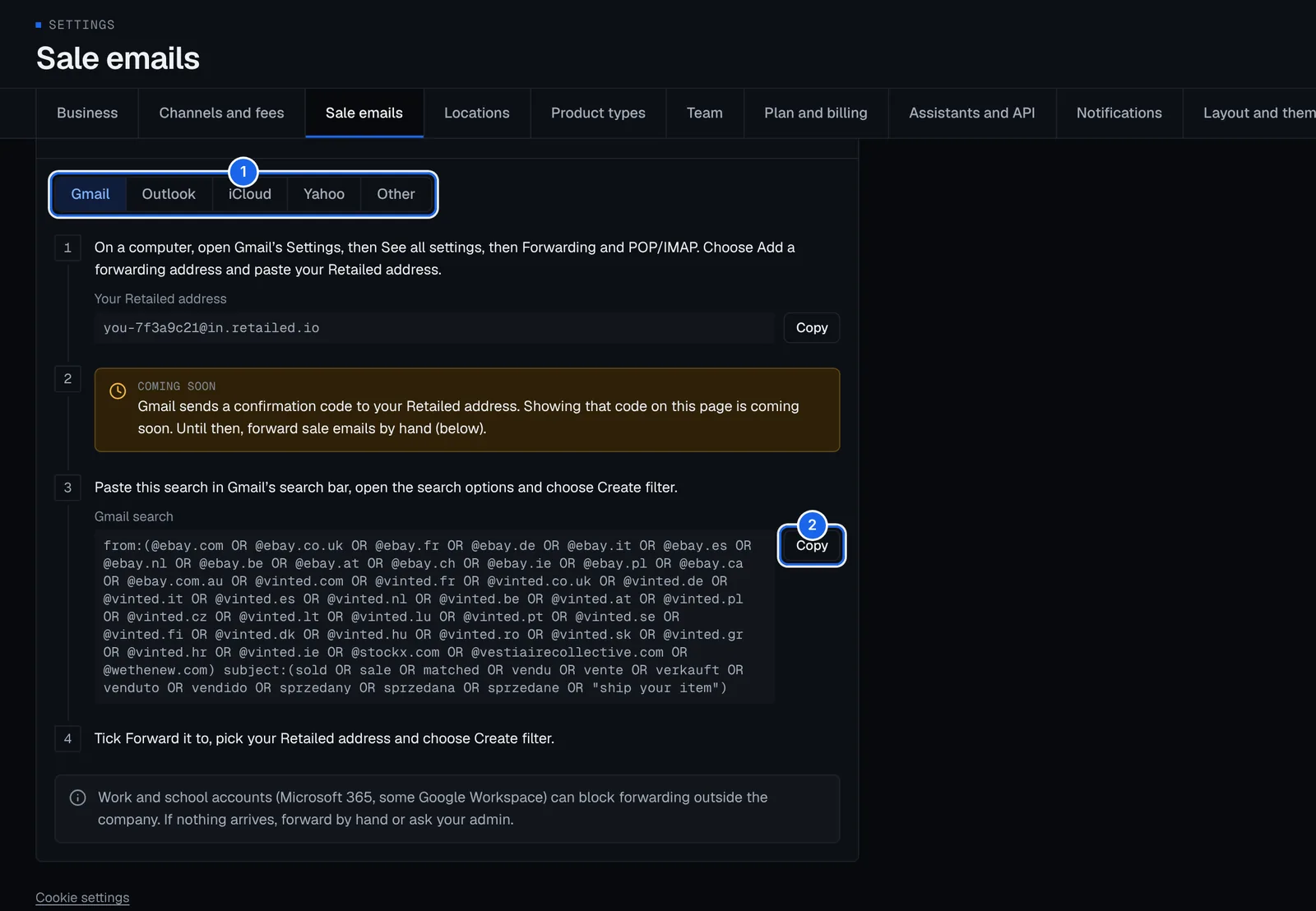
- Pick your mail app: Gmail, Outlook, iCloud, Yahoo or Other.
- Press Copy next to a line to copy it, like your address or the Gmail search.
- Follow the steps for your mail app, below.
Gmail
Gmail asks you to confirm a new forwarding address with a code it emails to that address. Showing that code in Retailed is coming soon. Until then, forward sale emails by hand: the filter below is ready for when it lands.
- On a computer, open Gmail, press the gear icon, then See all settings.
- Open the Forwarding and POP/IMAP tab and press Add a forwarding address. Paste your Retailed address and press Next, then Proceed.
- Copy this search (the same as Gmail search in Retailed) and paste it in Gmail's search bar:
from:(@ebay.com OR @ebay.co.uk OR @ebay.fr OR @ebay.de OR @ebay.it OR @ebay.es OR @ebay.nl OR @ebay.be OR @ebay.at OR @ebay.ch OR @ebay.ie OR @ebay.pl OR @ebay.ca OR @ebay.com.au OR @vinted.com OR @vinted.fr OR @vinted.co.uk OR @vinted.de OR @vinted.it OR @vinted.es OR @vinted.nl OR @vinted.be OR @vinted.at OR @vinted.pl OR @vinted.cz OR @vinted.lt OR @vinted.lu OR @vinted.pt OR @vinted.se OR @vinted.fi OR @vinted.dk OR @vinted.hu OR @vinted.ro OR @vinted.sk OR @vinted.gr OR @vinted.hr OR @vinted.ie OR @stockx.com OR @vestiairecollective.com OR @wethenew.com) subject:(sold OR sale OR matched OR vendu OR vente OR verkauft OR venduto OR vendido OR sprzedany OR sprzedana OR sprzedane OR "ship your item")- Press the search options icon at the right of the search bar, then Create filter.
- Tick Forward it to, pick your Retailed address and press Create filter.
Gmail then forwards new sale emails as they come in. It doesn't forward the ones already in your mailbox: forward the recent ones by hand.
Outlook
These steps are for Outlook on the web (outlook.com or Microsoft 365). Rules made there also run for the Outlook apps.
- Open Outlook on the web, then Settings (gear icon) › Mail › Rules, and press Add new rule. Name it Retailed.
- Add the condition Sender address includes, with each of these:
ebay, vinted, stockx, vestiairecollective, wethenew. - Press Add another condition, choose Subject includes, and add each of these words:
sold, sale, matched, vendu, vente, verkauft, venduto, vendido, sprzedany, sprzedana, sprzedane, ship your item. - Add the action Forward to, paste your Retailed address and press Save.
iCloud Mail
iCloud rules can't check the subject, so they forward every email from that marketplace. Retailed drafts the sales and leaves the rest out of your Inbox.
- On a computer, open iCloud Mail at icloud.com/mail, press the settings icon, then Rules, and press Add a rule.
- Under If a message, choose is from and type one marketplace you sell on, for example
vinted. - Under Then, choose Forward to, paste your Retailed address and press Done.
- Make one rule per marketplace:
ebay,vinted,stockx,vestiairecollective,wethenew.
Yahoo Mail
Yahoo Mail filters can't forward emails. Forward each sale email by hand, as in Forward one email at a time.
Other mail apps
Most mail apps and hosts (Proton Mail, Fastmail, your web host's webmail) have rules or filters.
- Open your mail app's rules or filters and make a new one.
- Match emails from these senders:
ebay, vinted, stockx, vestiairecollective, wethenew. - If the rule can check the subject too, add these words:
sold, sale, matched, vendu, vente, verkauft, venduto, vendido, sprzedany, sprzedana, sprzedane, ship your item. - Forward them to your Retailed address.
If nothing arrives
- Work and school accounts (Microsoft 365, some Google Workspace) can block forwarding outside the company. Forward by hand, or ask your admin to allow it.
- Check the address: it must match the one in Settings › Sale emails exactly. If you made a new address, update your rule.
- Check Needs a look: emails Retailed couldn't turn into a draft wait in the Inbox under Needs a look, with what to do by hand.
- Forwarding went quiet: if your forwarded emails stop for a while, Retailed emails you so you can check the rule. Turn this email on or off in Notifications.
Check and confirm the drafts
Open Inbox and confirm each draft, or press Review emails to confirm the clean ones together. See Inbox. On Pro and up, sales can be added straight from your emails.
AI reading
Emails from senders Retailed knows are read by its own rules. Emails from other senders, or with details missing, are read by our AI provider. Buyer names, addresses and contact details are taken out first, and the provider keeps nothing.
To stop AI reading for the whole account, an owner turns off Let the AI read these emails. Then only emails from the listed senders are read.
Make a new address
Press Make a new address, then confirm, to swap your address for a fresh one. Do it if your address leaked or you get emails you didn't forward. The old one keeps taking mail for 30 days, then stops, so change any mailbox rule that forwards to it. Emails it brings in still wait in your Inbox.
Channels and fees
Add the places you sell, pick each marketplace's fee setup, payout delay and tax, connect eBay to bring in sales, and link listings to your items.
eBay Autopilot
Let Autopilot end eBay listings when a unit sells elsewhere and run the price steps, markdowns and offers you set, starting with a 7-day dry run.