Still on Retailed classic? Classic guides
Parcels
Track buys on their way to you and parcels you sent for sales, see late or stuck parcels, and mark deliveries received.
Stock › Parcels shows where each parcel is: what you bought on its way To you, and what you sent for your sales, Going out. Retailed follows each tracking number with the carrier.
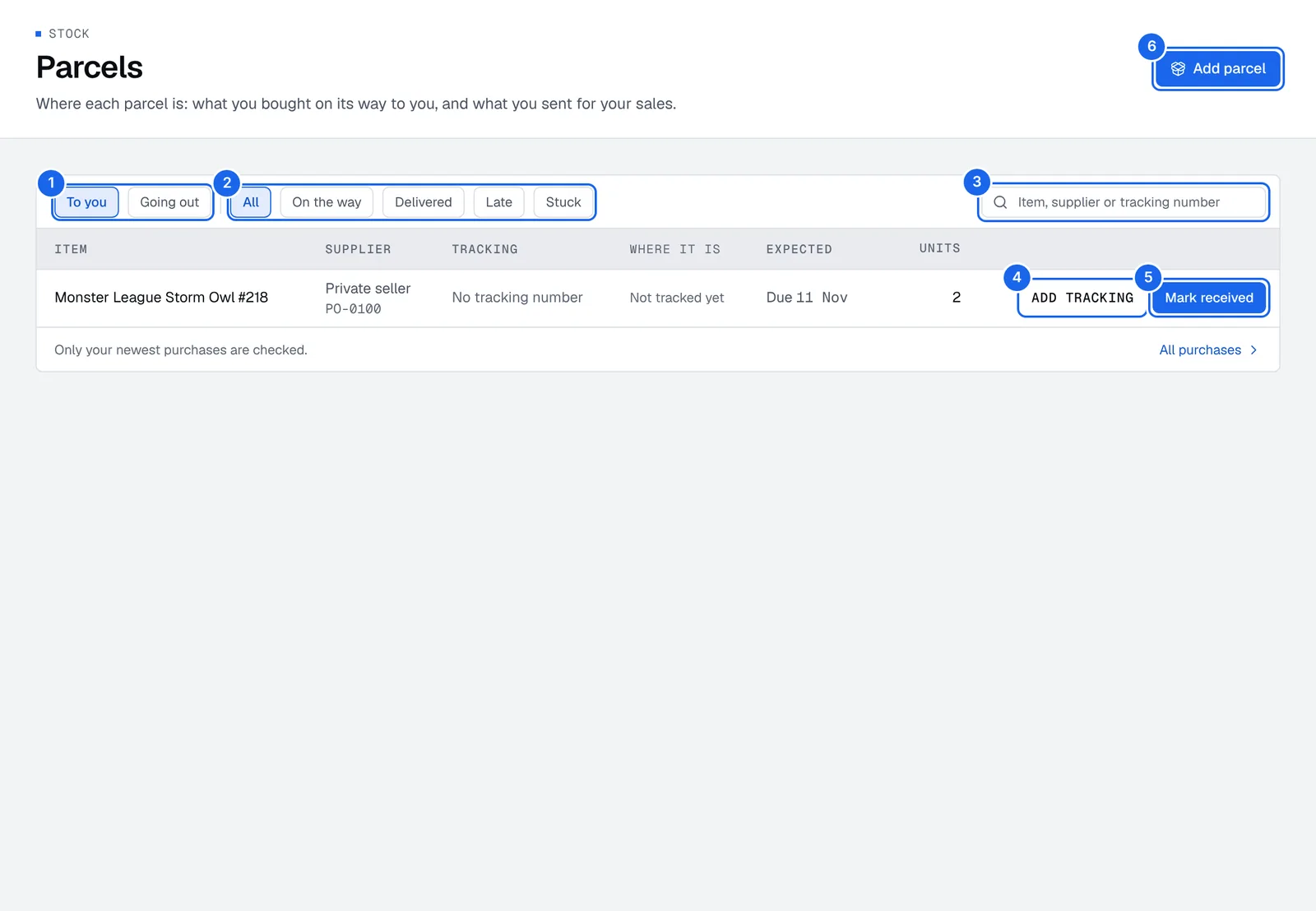
- To you and Going out: buys on their way in, or parcels sent for sales.
- All, On the way, Delivered, Late and Stuck: filter by where the parcel is.
- Search by item, supplier or tracking number.
- Add tracking: add the tracking number of a buy that has none yet.
- Mark received: the parcel arrived, its units go in stock.
- Add parcel: add a parcel to a sale or a buy.
Track a buy on its way to you
- Add the item with Not here yet turned on, and type the tracking number and the day you expect it. See Add items.
- Open Stock › Parcels and pick To you.
- Filter by On the way, Delivered, Late or Stuck, and press Track to see the carrier's updates.
- When it's delivered, press Mark received. Its units go in stock.
Past the expected day, a parcel shows as late.
Add a parcel to a sale
- Open Stock › Parcels, press Add parcel and pick Going out. (Pick Coming to you for a buy on its way.)
- Pick the sale this parcel went out for.
- Type the tracking number as printed on the label, and optionally the carrier, like Colissimo, UPS or Vinted Go.
- Save it. The tracking number goes on the sale, and the parcel shows in Going out.
You can also add it from the sale: open the sale in Money › Sales and pick Parcels in its menu.
Tracked parcels per month
Each plan includes a number of live-tracked parcels a month, for example 40 on Seller, 150 on Pro, 600 on Business and 300 per location on Shop. Free doesn't track parcels live. The Parcel Pro add-on adds more. When they're used up, a parcel shows Not tracked: monthly limit reached and starts being tracked when there's room again. See Plans and billing.
Who sees parcels
Parcels on their way need the right to see purchases, and parcels going out need the right to see sales. If your role has neither, ask the account owner.