Still on Retailed classic? Classic guides
eBay Autopilot
Let Autopilot end eBay listings when a unit sells elsewhere and run the price steps, markdowns and offers you set, starting with a 7-day dry run.
Stock › Autopilot keeps your listings in step with your stock and runs the price steps you set. It never goes below your payout floor and never prices from market data: the steps are yours. eBay Autopilot comes with the Business plan and up, and is an add-on on Seller and Pro. Without it, rules can only dry-run.
What Autopilot does
- The stock guard ends a listing as soon as its unit sells on another channel, so nothing sells twice.
- Price steps lower a price by the steps you set, never below your payout floor.
- Markdowns and offers run the markdowns and watcher offers you set, within each channel's own limits.
It never moves your listings, prices from market data or touches your messages. You keep editing your listings as usual.
Turn Autopilot on
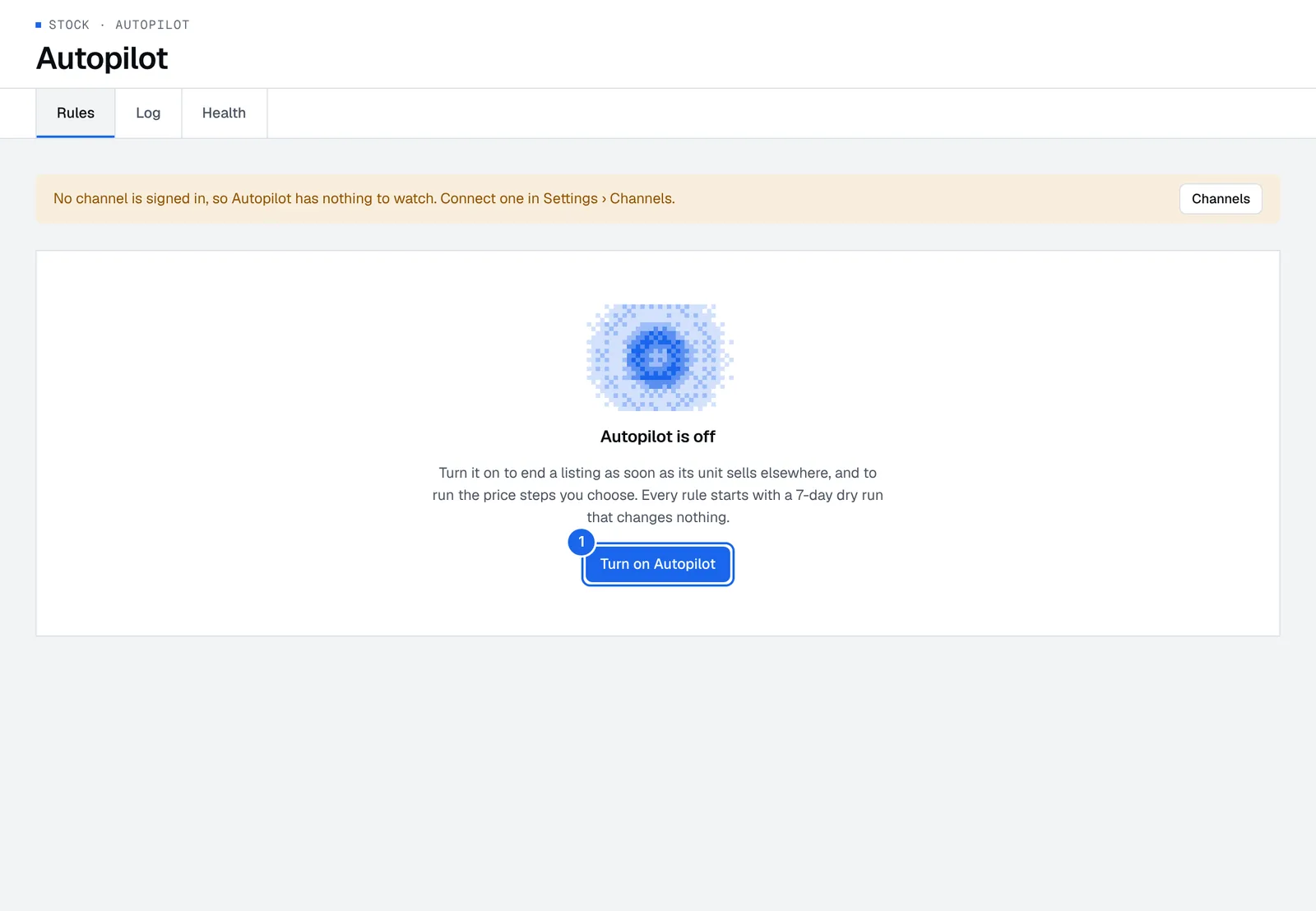
- Connect eBay in Settings › Channels and fees.
- Open Stock › Autopilot and press Turn on Autopilot (1 in the picture). Only an owner or admin can. Until a channel is signed in, a banner says Autopilot has nothing to watch, with a Channels button.
- Pick a starting set of rules:
- Protect stock only: ends a listing as soon as its unit sells elsewhere. Nothing else.
- Gentle: an offer to watchers after 14 days, and 5% off every 14 days, 3 times, once a listing is 30 days old.
- Clear stale stock: offers after 7 days, a 10% markdown after 21 days, and 5% off every 7 days, 5 times, after 30 days.
- Turn on changes for eBay, so Autopilot can change your listings.
The stock guard goes live at once. Every other rule runs a 7-day dry run first.
Check the dry run and go live
During a dry run, Autopilot logs what it would do and changes nothing.
- Open Stock › Autopilot and read what it would have done over the last 7 days, for example "Lowered the price of 3 listings".
- Open the Log tab to see each action.
- When it looks right, take the rules live. An owner or admin does this.
Add your own rule
- In Stock › Autopilot, add a rule.
- Pick when it runs: It hasn't sold for a number of days, or Buyers are watching it after a number of days. (Ending a listing when its unit sells elsewhere is the stock guard, which is always on.)
- Pick what it does: lower the price in steps, run a markdown, or send watchers an offer.
- Save it. A new rule, or a change to when it runs or what it does, starts a new 7-day dry run.
Pause or undo
- Pause all to stop every rule on every channel, the stock guard included.
- To pause it on one listing, open the item page and press Pause Autopilot under Where it's listed.
- In the log, Undo puts back the price before Autopilot's latest change on a listing. Its rules then pause for 7 days on it. Ended listings and stock changes can't be undone.
When you change a listing yourself, Autopilot leaves it alone for 7 days.
Check Autopilot's health
The Health tab, next to Rules and Log, shows each channel Retailed is signed in to: its last sync, whether Autopilot may change listings there, and its problems over the last 24 hours. Press Show in the log to see them, or Sign in again when a channel's sign-in has ended.
Sale emails
Forward your marketplace sale emails to your own Retailed address, by hand or with a mailbox rule in Gmail, Outlook or iCloud, so each sale becomes a draft in your Inbox.
Payouts
Follow the money each channel owes you, see late payouts, record what really landed and spot payouts that don't match their fees.