Guide forPublic inventory sharing →
Public inventory
Share a live page of your stock with buyers, and choose which details it shows.
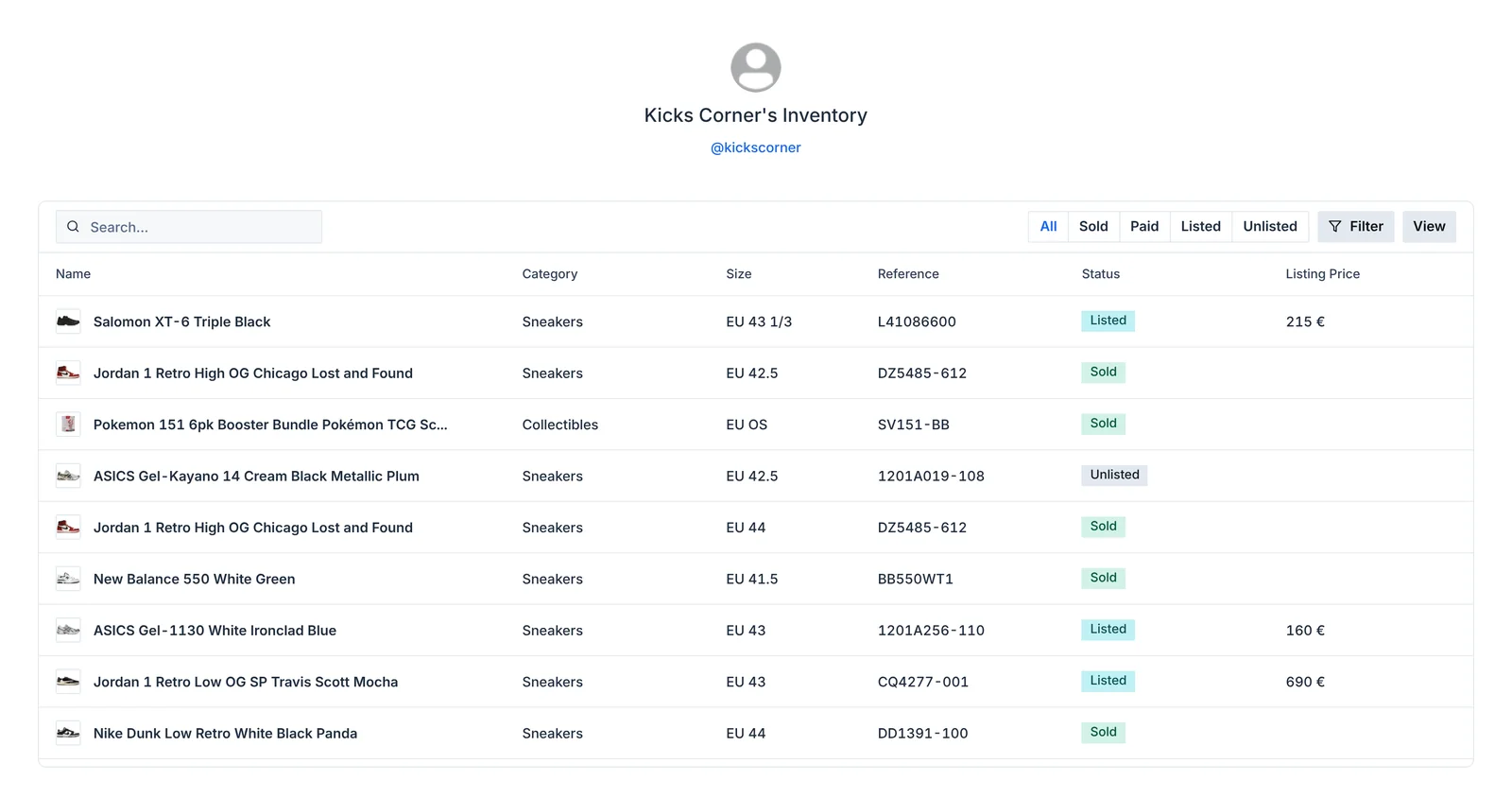
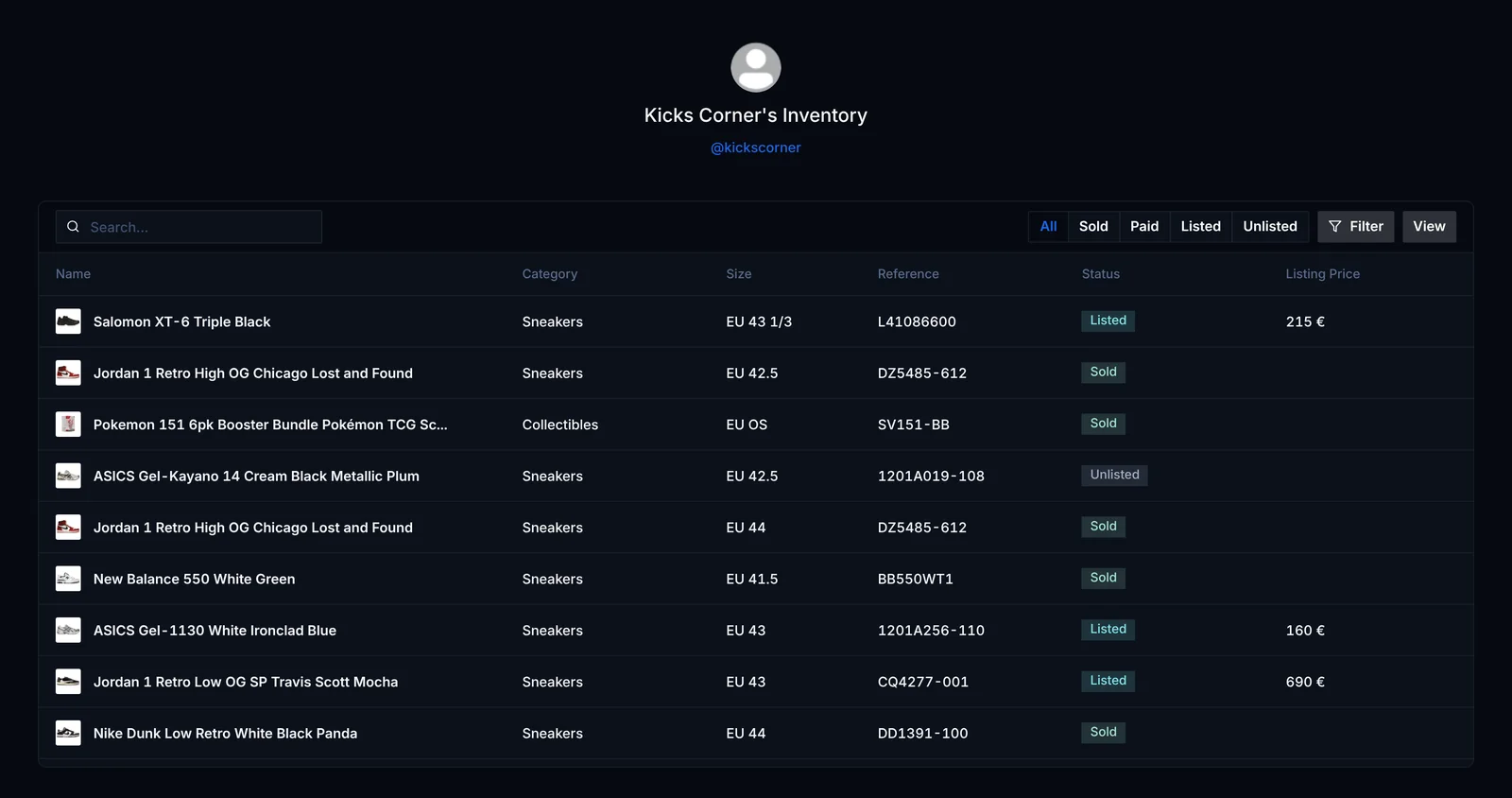
Your public inventory is a page anyone can open, at dashboard.retailed.io/public-inventory/<your username>. Put it in your bio or send it to buyers so they can see what you have in their size.
Publish it
On the Inventory page, click Share.
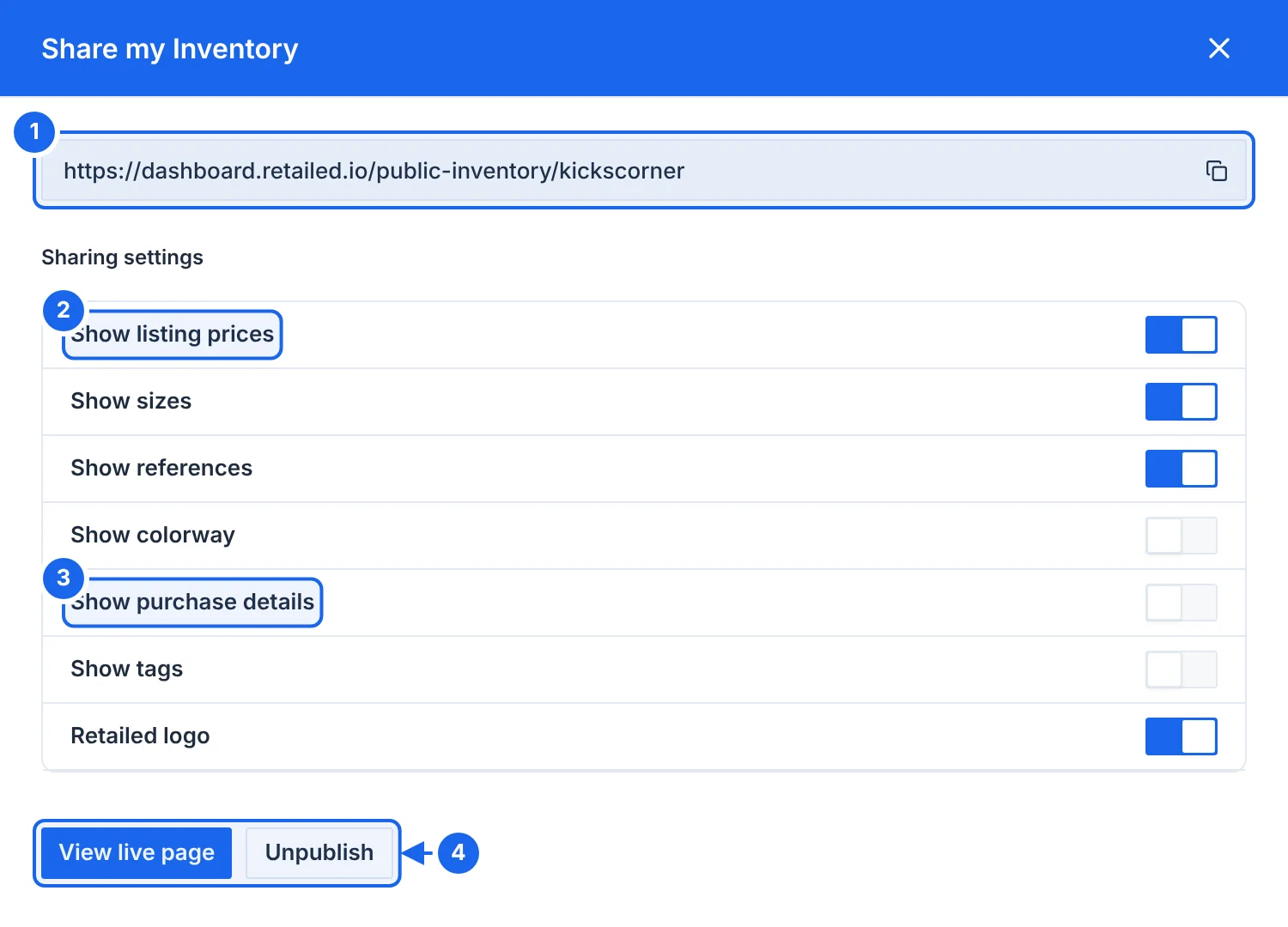
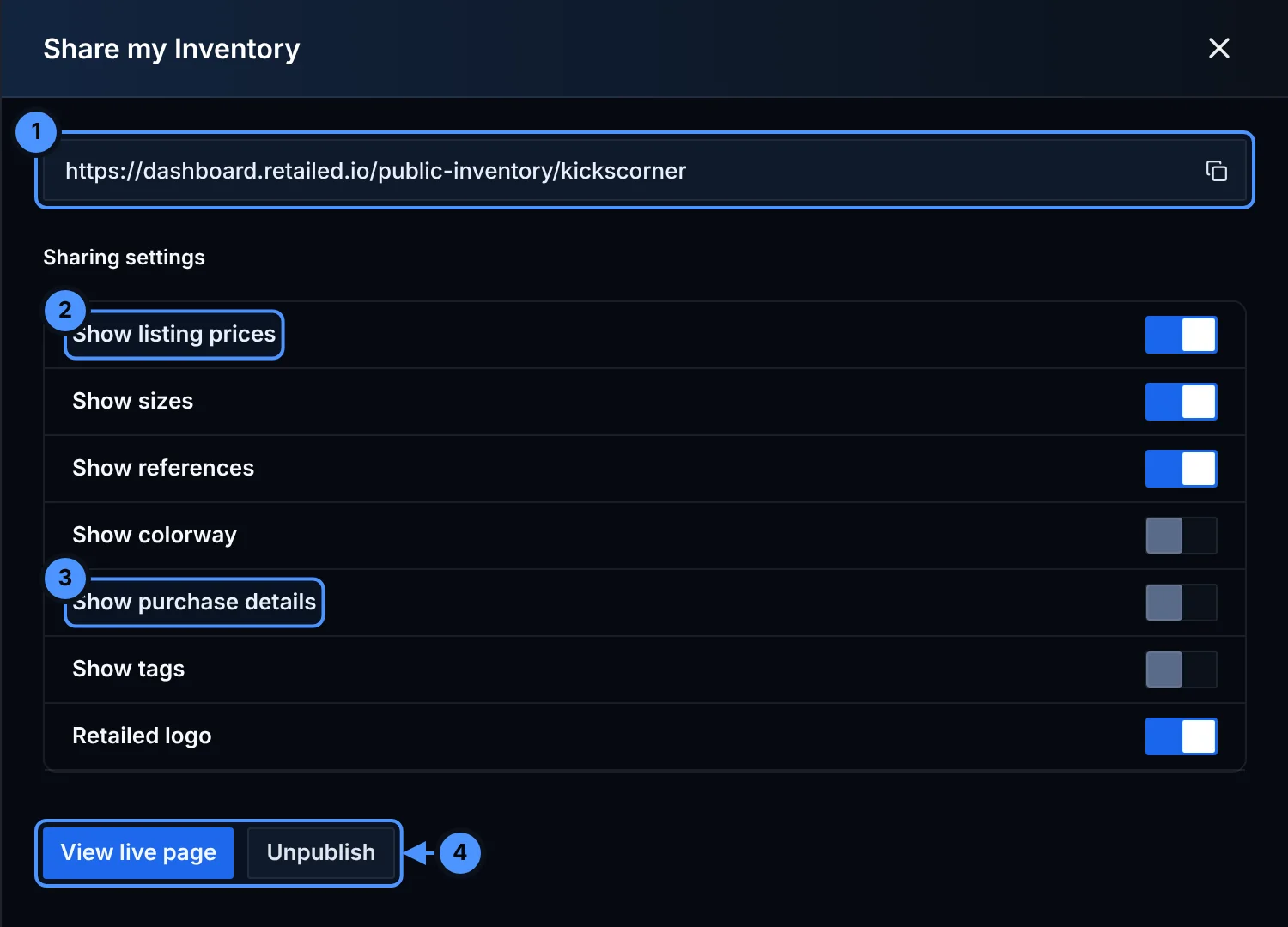
- Your page's link. Click the copy button to copy it.
- Show listing prices shows the price you're asking on your active listing. It never shows what you paid.
- Show purchase details shows where and when you bought the item. It never shows the price you paid.
- View live page opens the page. Unpublish takes it offline.
Choose what buyers see
Each detail has its own switch:
- prices (Show listing prices)
- sizes
- references (SKU)
- colourway
- purchase details (where and when you bought the item)
- tags
- the Retailed logo
Visitors can search your stock and filter it by status.